tmux
Table of Contents
1. Launcher
The idea is to remember only one key binding, in this case M-t
(Alt-t), in order to run any tmux commands or shell scripts.
# ~/.config/tmux/tmux.conf

# Launcher
bind-key -n M-t display-popup -E -T " #{host} " -h 60% -w 80% "$HOME/.config/tmux/launcher"
The key binding will run this bash script inside a tmux popup and it
will look for a specific line in every scripts under
~/.config/tmux/scripts, the result is a list of scripts to choose
from.
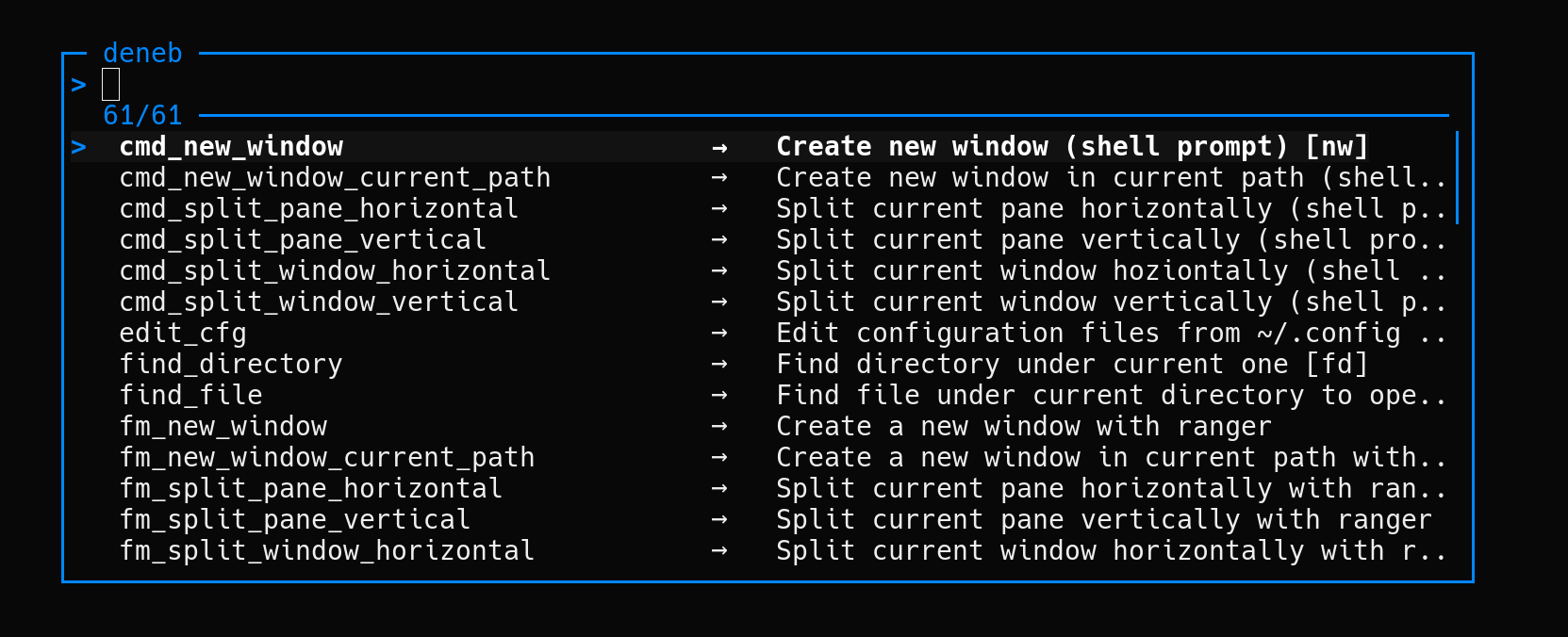
Inspired by gotbletu tmux setup explained in this YouTube video.
2. Session
2.1. Autostart tmux whenever ~/.bashrc is loaded
See notes:bash
# ~/.bashrc

# Do not start tmux if inside Emacs and avoid nested tmux sessions
if [[ -z $INSIDE_EMACS && -z $TMUX ]]
then
    if [[ -n $DISPLAY || -n $WAYLAND_DISPLAY || -n $SSH_CONNECTION ]]
    then
        session_name='0'
        if tmux has-session -t "$session_name"
        then
            tmux attach-session -t "$session_name"
        else
            tmux new-session -d -s "$session_name" -n cmd -c "$HOME"
            tmux new-window -t "$session_name:1" -n rss 'newsboat --quiet'
            tmux new-window -t "$session_name:2" -n music -c "$HOME/music" 'cmus'
            tmux new-window -t "$session_name:3" -n framboise 'ssh framboise'
            tmux attach-session -t "$session_name"
        fi
        unset session_name
    fi
fi
2.2. Autostart tmux whenever the fish shell is loaded
See notes:fish
Add tmux_session at the end of ~/.config/fish/config.fish.
# ~/.config/fish/functions/tmux_session.fish
function tmux_session -d "Do not start tmux if inside Emacs and avoid nested tmux sessions"
    if test -z $INSIDE_EMACS and test -z $TMUX
        if test -n $DISPLAY or test -n $WAYLAND_DISPLAY or test -n $SSH_CONNECTION
            set -f session_name '0'
            if command tmux has-session -t $session_name
                command tmux attach-session -t $session_name
            else
                command tmux new-session -d -s $session_name -n cmd -c $HOME
                command tmux new-window -t $session_name:1 -n rss 'newsboat --quiet'
                command tmux new-window -t $session_name:2 -n music -c $HOME/music 'cmus'
                command tmux new-window -t $session_name:3 -n framboise 'ssh framboise'
                command tmux attach-session -t $session_name
            end
        end
    end
end
3. Copy text with copy-mode
See notes:vim
# ~/.config/tmux/tmux.conf
set -g mode-keys vi
bind-key V copy-mode
bind-key p paste-buffer
bind-key -T copy-mode-vi 'v' send -X begin-selection
bind-key -T copy-mode-vi 'y' send -X copy-selection-and-cancel
- Enter copy-mode with
prefix V - Begin selection by typing
v - Yank (copy) the selected text with
y - Then paste anywhere with
prefix p
4. Display [reboot required] in the status bar when packages require a reboot
# ~/.config/tmux/tmux.conf

set-option -g status-right "#(test -f /run/reboot-required && echo ' [reboot required] |') #{user}@#{host} | %a %d/%m %R "
set-option -g status-right-length 60